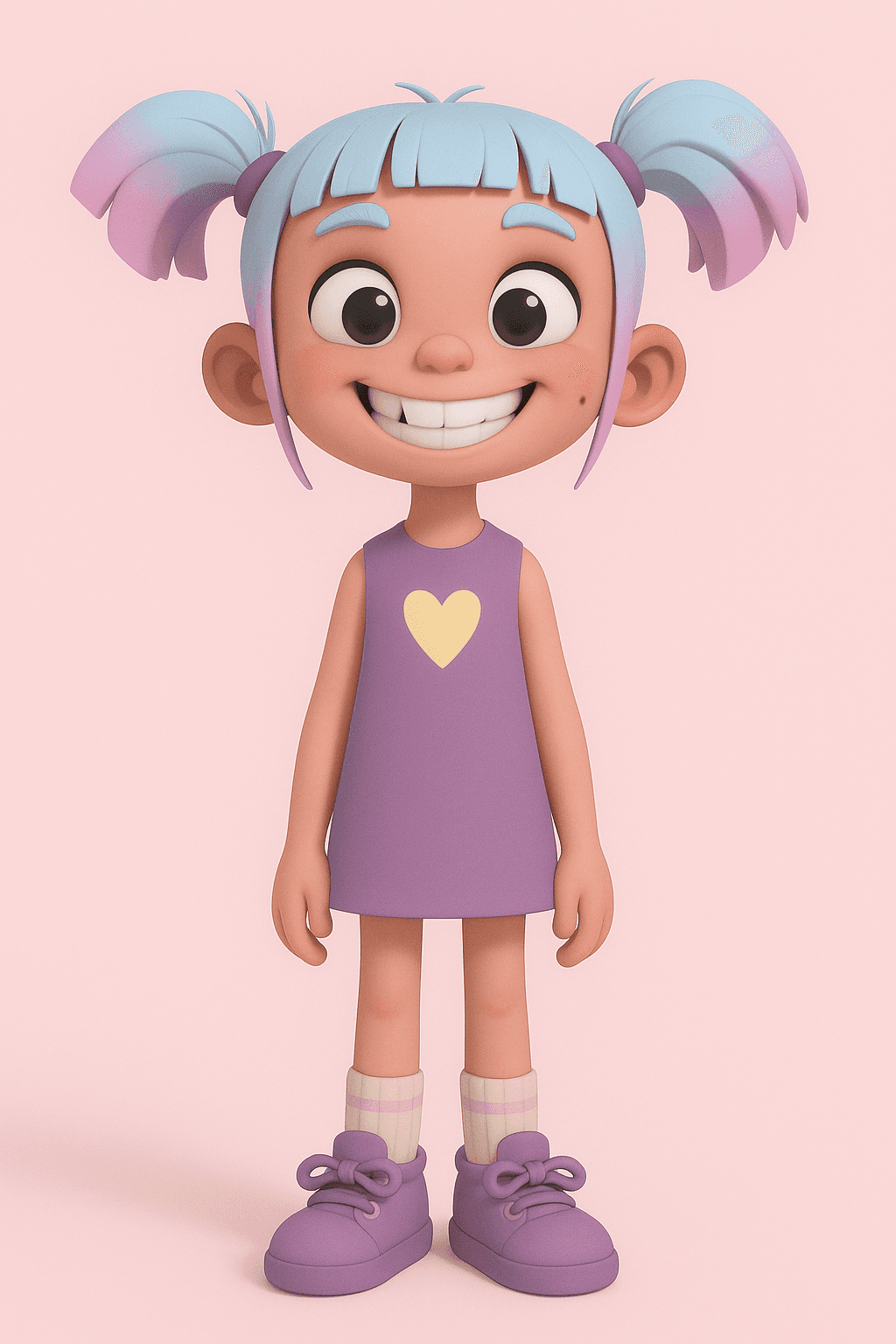
Little Disciple
My role
UI/UX Designer
Product
children-story-app
duration
Jan 2022 - Sept 2022

The Problem
Kids often struggle to stay engaged with traditional Bible stories. They find them hard to follow and forget lessons quickly. This makes it difficult to learn effectively. It also limits their connection with faith.
The Goal
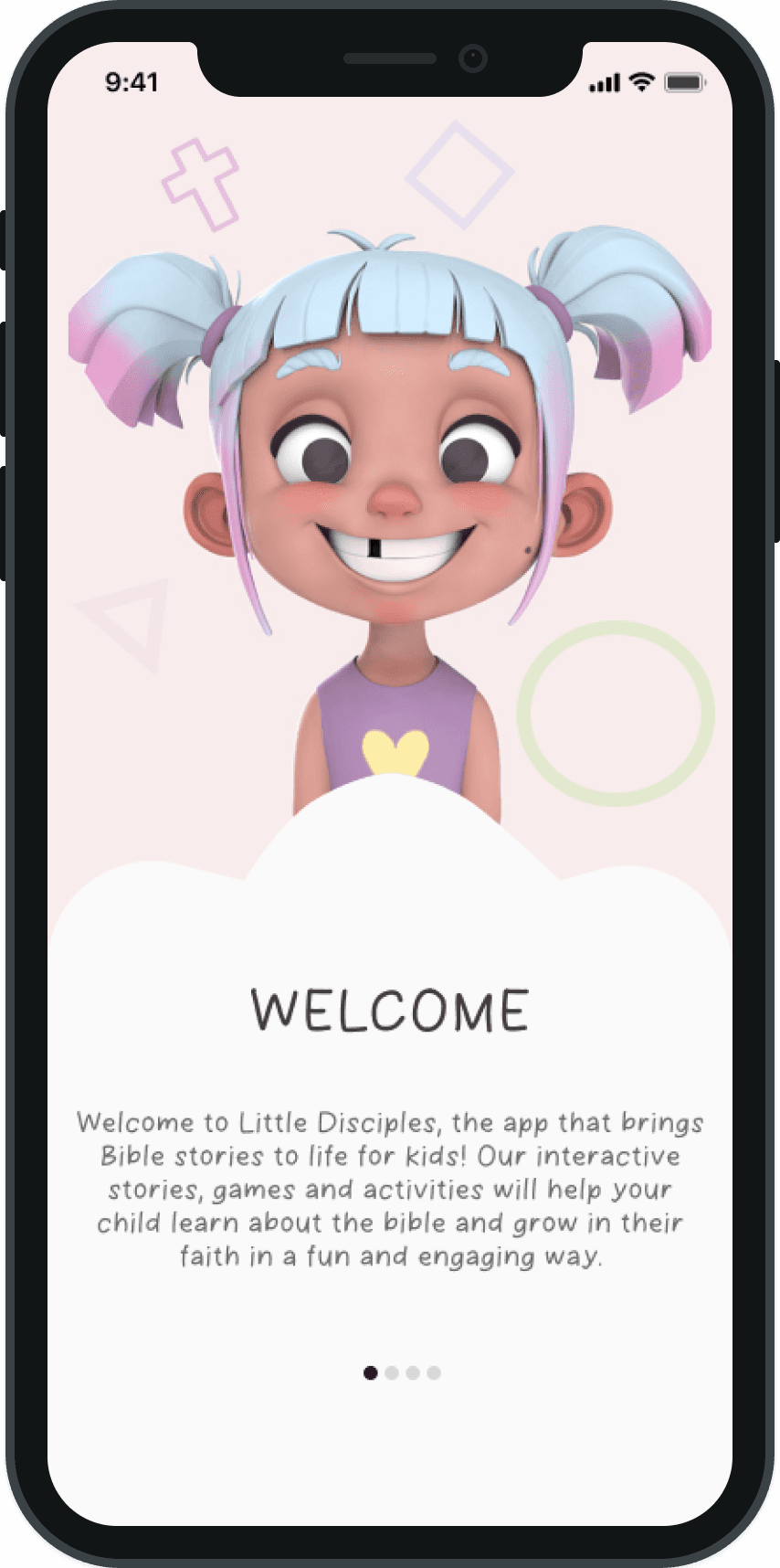
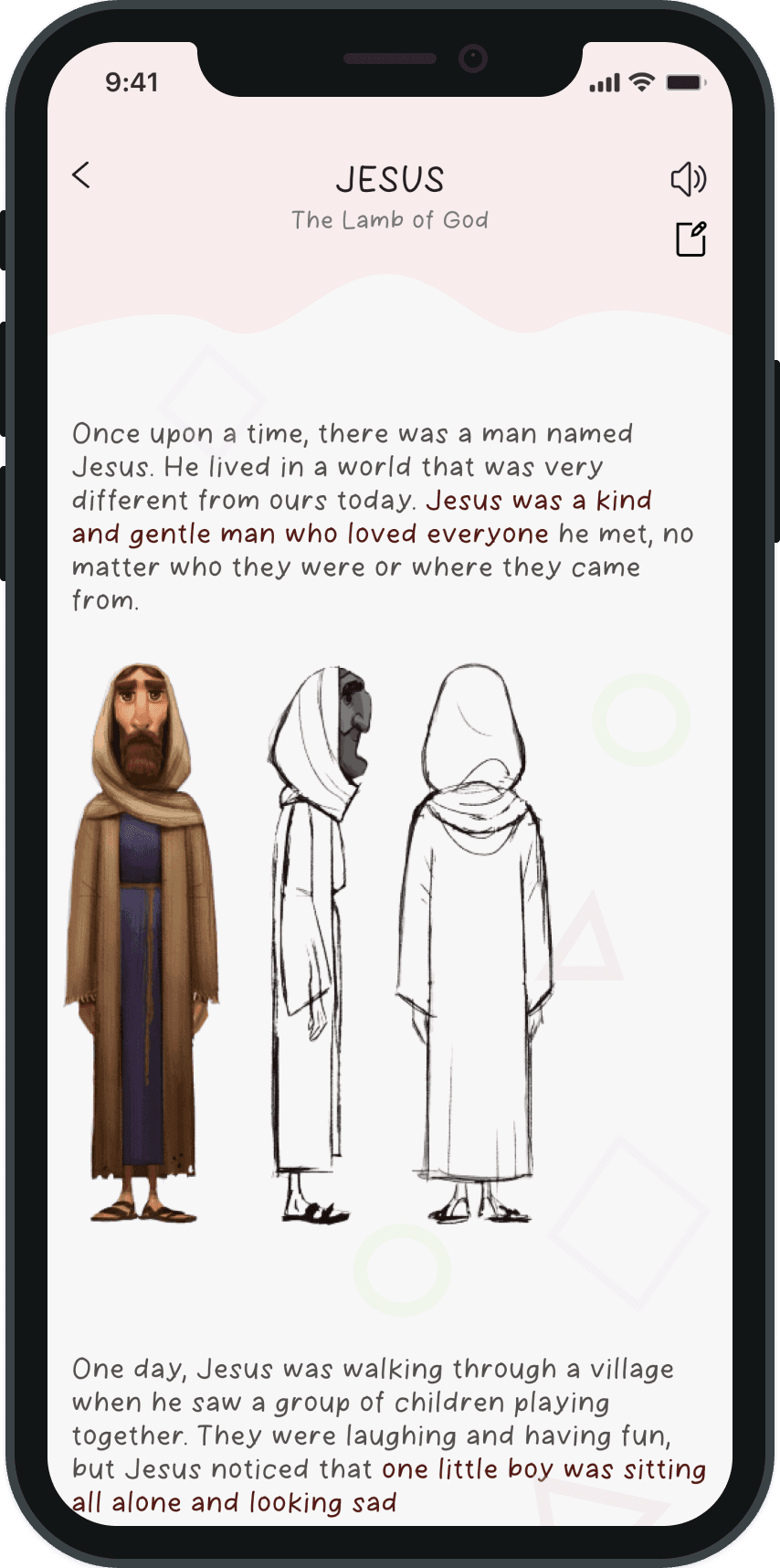
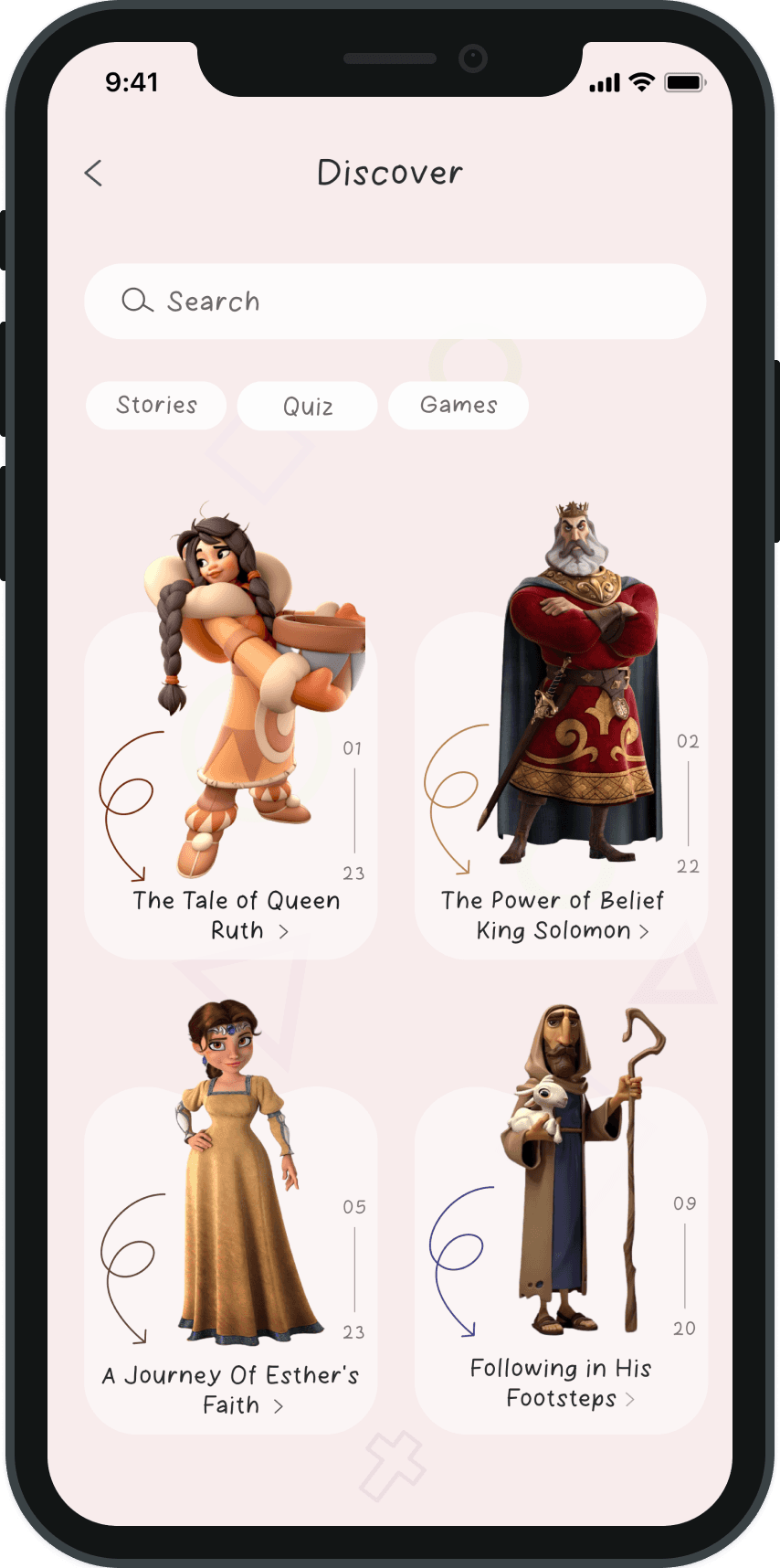
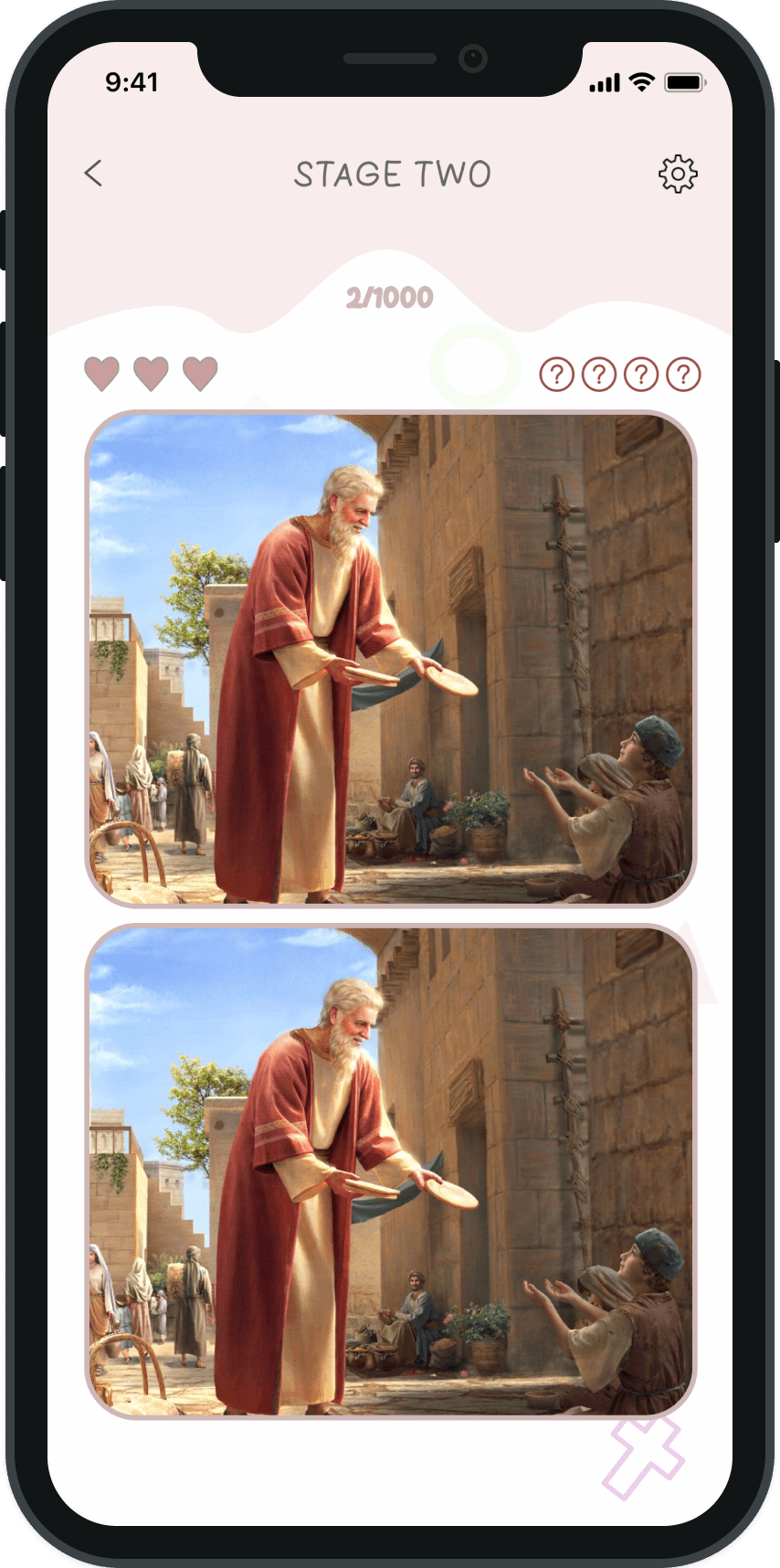
Create a mobile app that makes Bible stories fun and interactive. Use 3D animated characters, read-aloud narration, quizzes, and games. Help children learn lessons effectively. Support them in growing and connecting with their faith.
Scroll to read
Secondary research
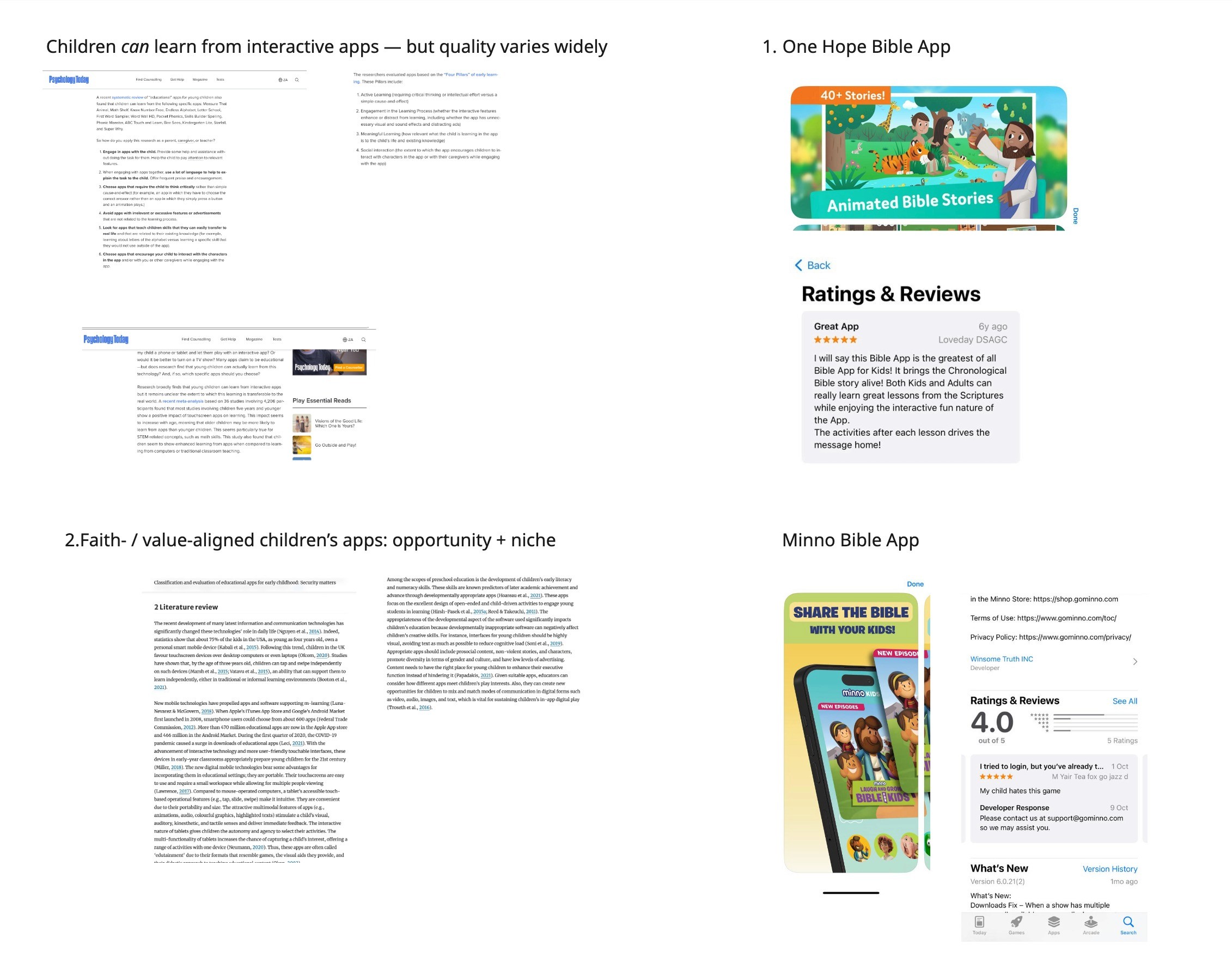
UX Insights: Kids passively consume content; limited stories, confusing navigation, and poor performance reduce engagement. Parents want safe, ad-free, age-appropriate apps.
Improvements:
Bible App for Kids: Age-segmented flows, modular stories, family/classroom modes, offline playback.
Minno: Personalized recommendations, micro-interactions, localized UX, co-watching features.
Painpoints
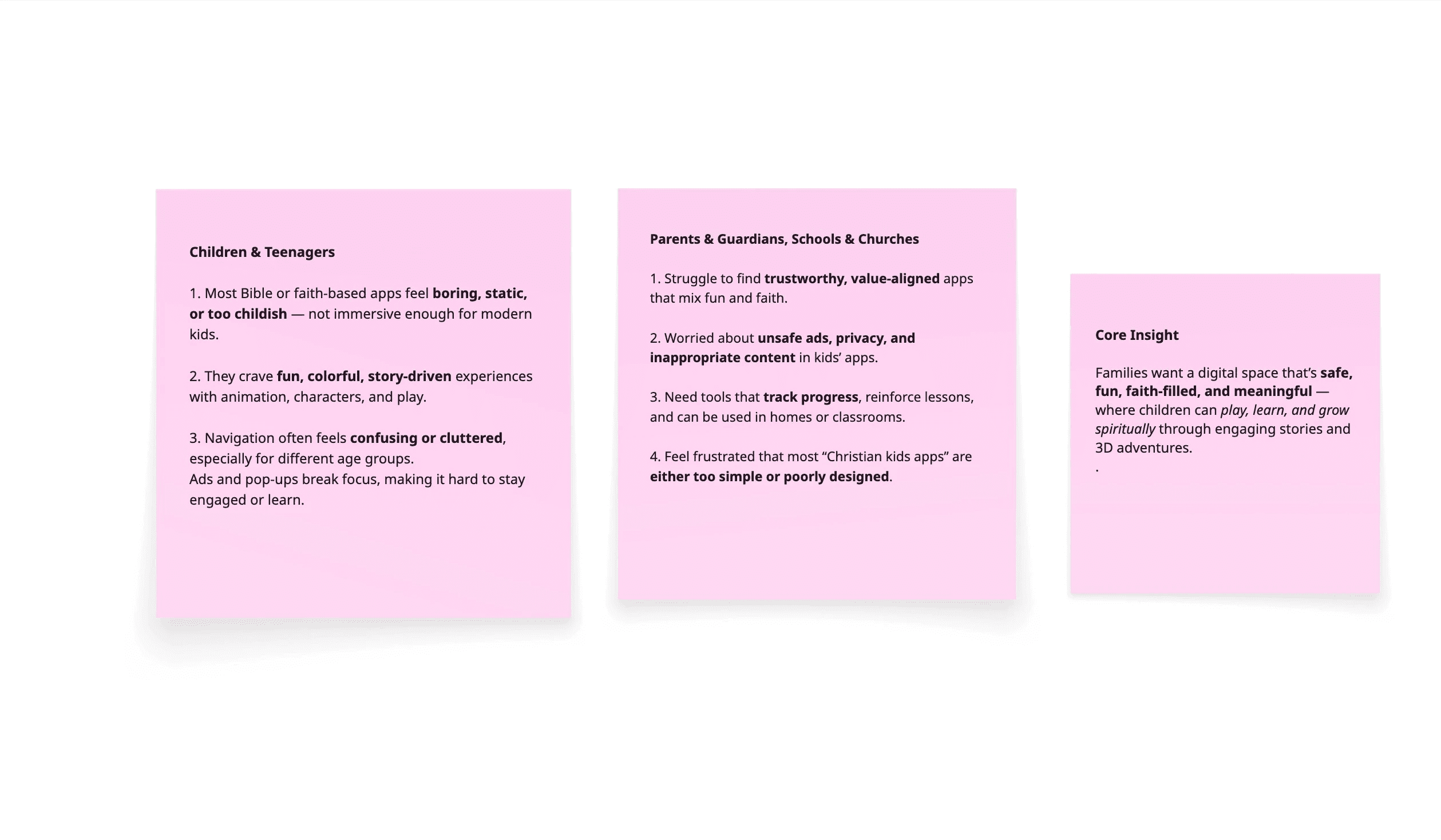
Existing faith-based apps lack engagement, usability, and trust.
Kids want fun, interactive stories — parents want safe, value-driven learning.
Static content, confusing flow, frequent ads.
No parental control or progress tracking.
Outdated design, low emotional connection.
💡 Insight: Families need a safe, playful, faith-filled experience that makes learning fun and meaningful.

Scroll to read
user persona
Name: Ayomide Ayodeji
Age: 32
Location: Berlin, Germany
Occupation: Digital Analyst
Family: Parent of one daughter (age 6)
Goals: Fun, educational, faith-based content; safe, age-appropriate, easy to use; interactive learning; family co-learning experiences.
Frustrations: Apps are boring or too simple; ads/content disrupt focus; hard to track learning.
Quote: “I want an app that makes Bible stories come alive — playful, safe, and meaningful for us to enjoy together.”

Design process
We started by uncovering user pain points through research, then iterated through ideation and prototyping to create an intuitive, efficient solution.

Scroll to read
mind map
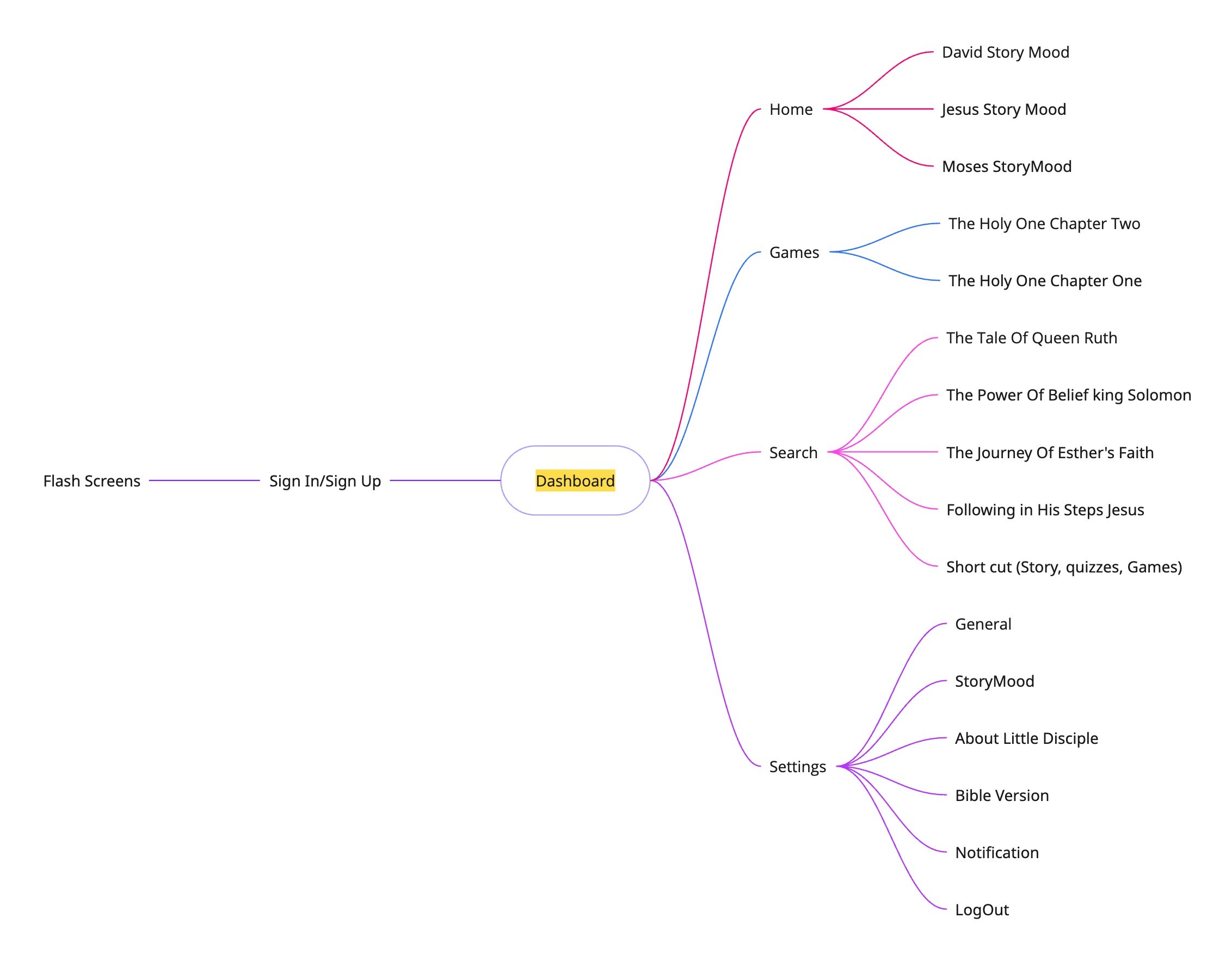
Used Miro to map Little Disciple’s full user flow:
Entry points: splash, onboarding, parent/child login
Primary path: home → story → 3D playback → quizzes/games → progress → settings
Added sub-flows: read-aloud toggle, interactive elements, dashboards, offline playback
Alternative paths: mid-story exit, skipping, switching profiles
Iterated for smooth, low-friction navigation
Included feedback loops: rewards, notifications, suggested stories
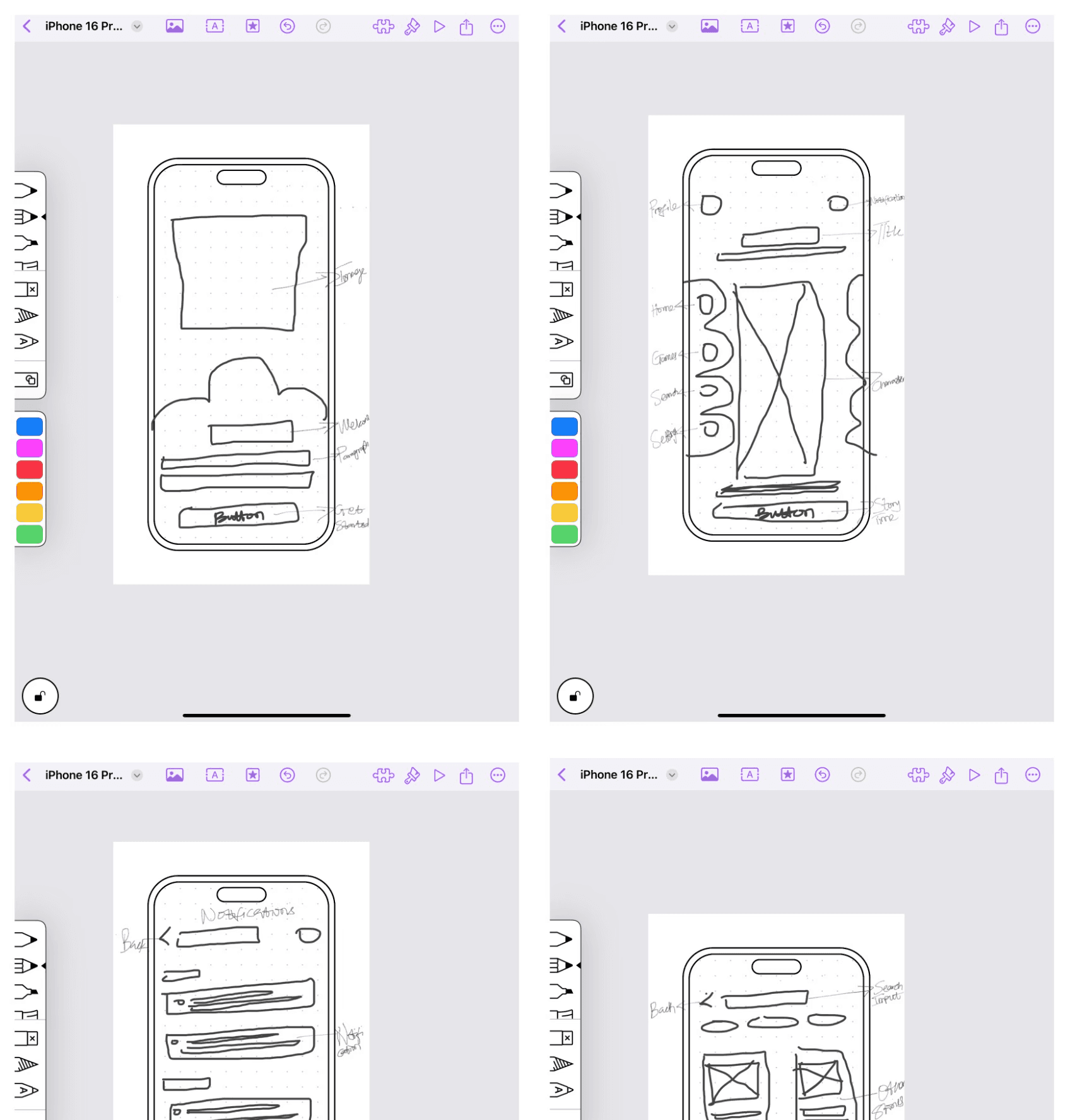
paper wireframes
Created low-fidelity sketches for core screens: onboarding, home, story, 3D playback, quizzes, progress
Experimented with layout, navigation hierarchy, and age-appropriate UI cues
Incorporated visibility for parent/teacher controls
Iterated rapidly to identify friction points and refine flows
Validated playful, intuitive experiences before moving to digital wireframes
Scroll to read
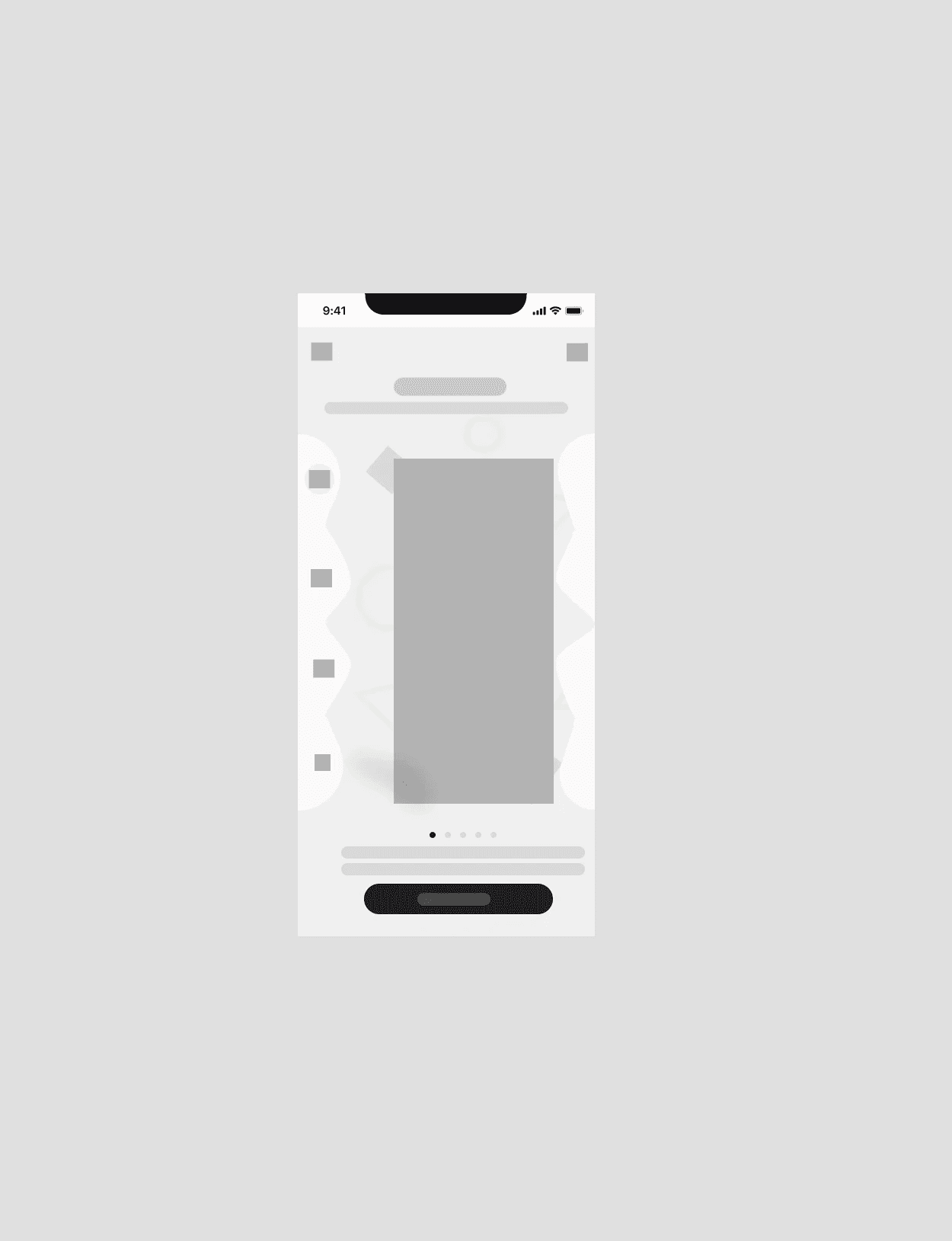
low-fi protoype
Turned sketches into low-fidelity digital prototypes (Figma/Adobe XD)
Focused on layout, navigation, and clickable flows (onboarding → story → 3D → quizzes → progress)
Tested interactions and refined based on feedback
Enabled early usability testing with children and parents
Ensured clear, playful, goal-aligned experience
More low-Fi Prototype
+300 Screen low-fi wireframes

Initial Hi-Fi Prototype
Initial Prototyping Improvements — Little Disciple
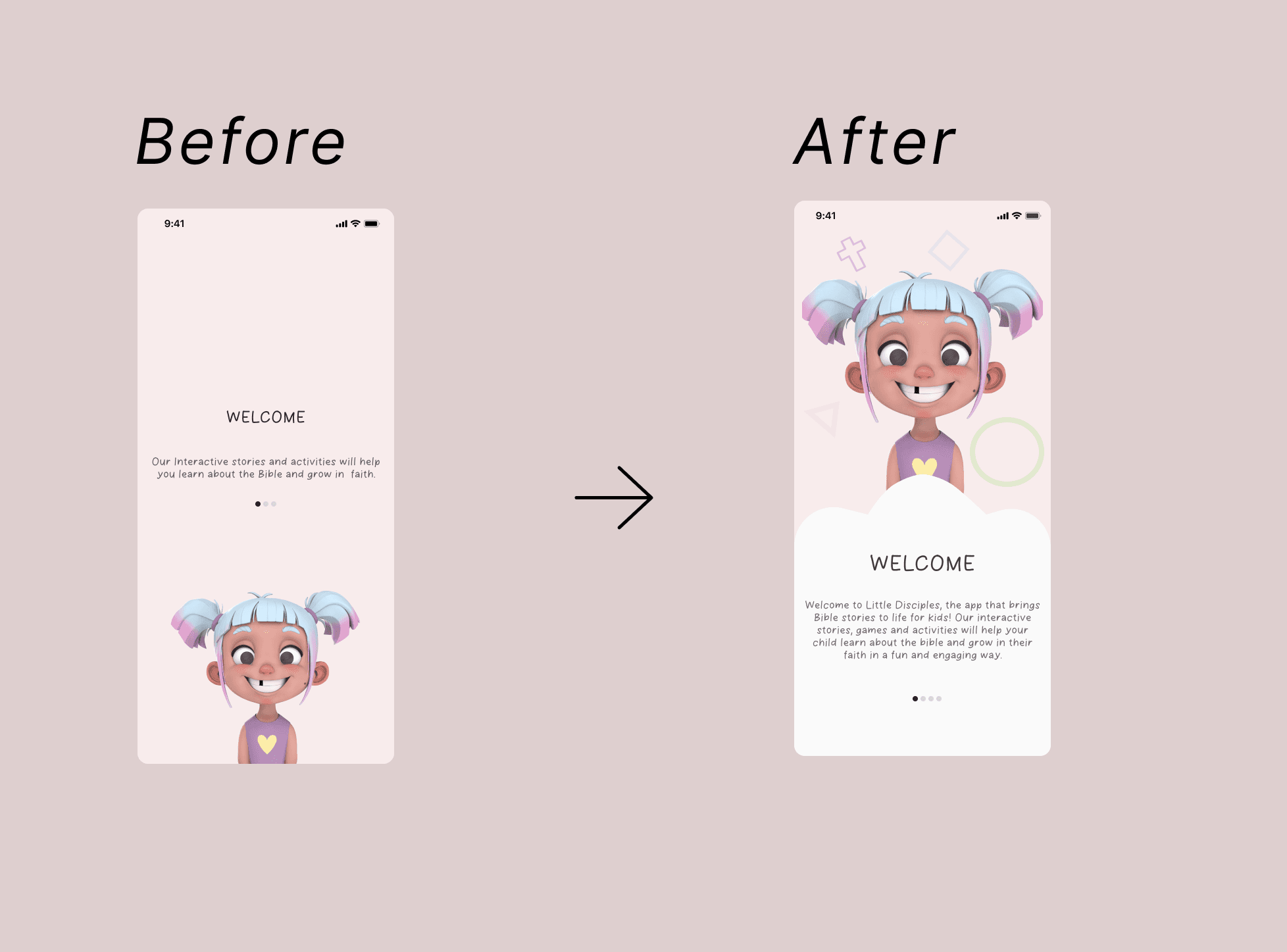
Onboarding/Splash: Added playful cloud animation for engaging intro; refined via usability testing
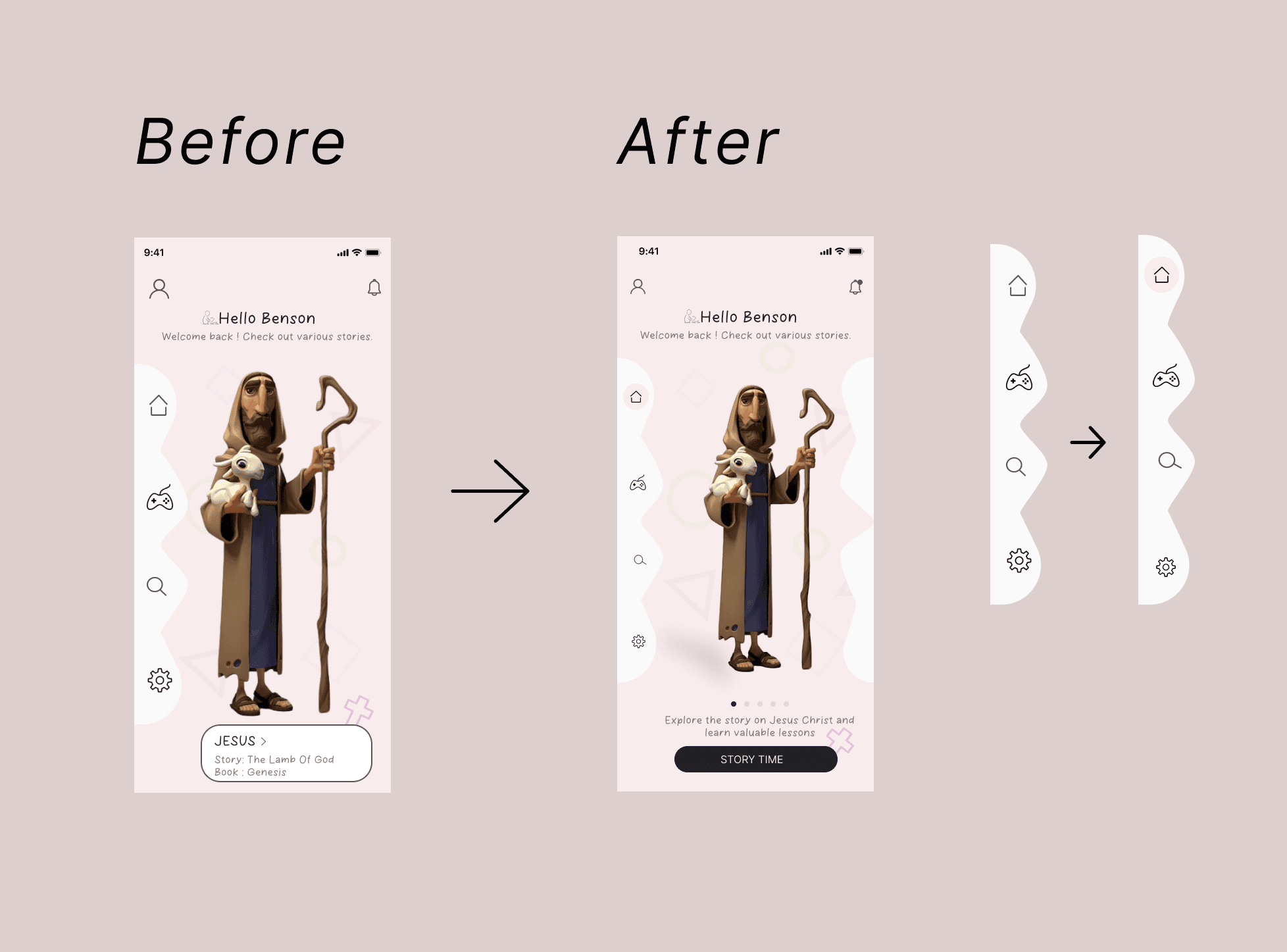
Story Mode/Dashboard: Replaced mini-card previews with single “Story Time” button for simplicity
Character Navigation/Colors: Consistent dashboard color; characters highlighted with unique accents to reduce distraction
Accessibility: WCAG-compliant contrast, touch-friendly buttons, color-blind-friendly palette
Scroll to read
usability testing & findings
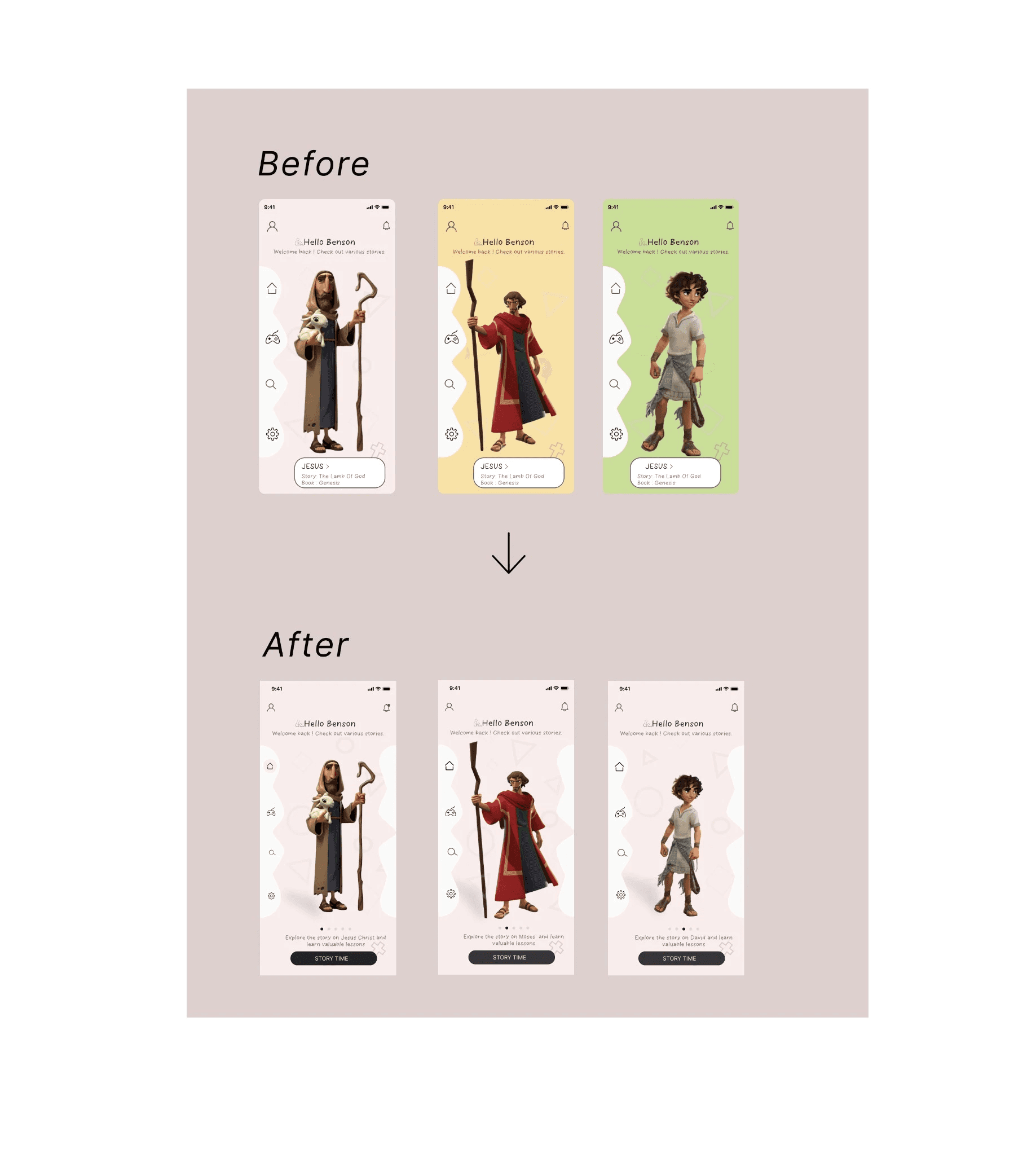
Character Navigation / Dashboard Color Scheme
The original prototype allowed sliding between individual characters, with each character changing the dashboard’s background color. While visually dynamic, it caused confusion and inconsistent visual cues.
Updated design uses a consistent dashboard color to maintain focus and reduce cognitive load, while still highlighting each character distinctly through their individual color accents.
key discoveries
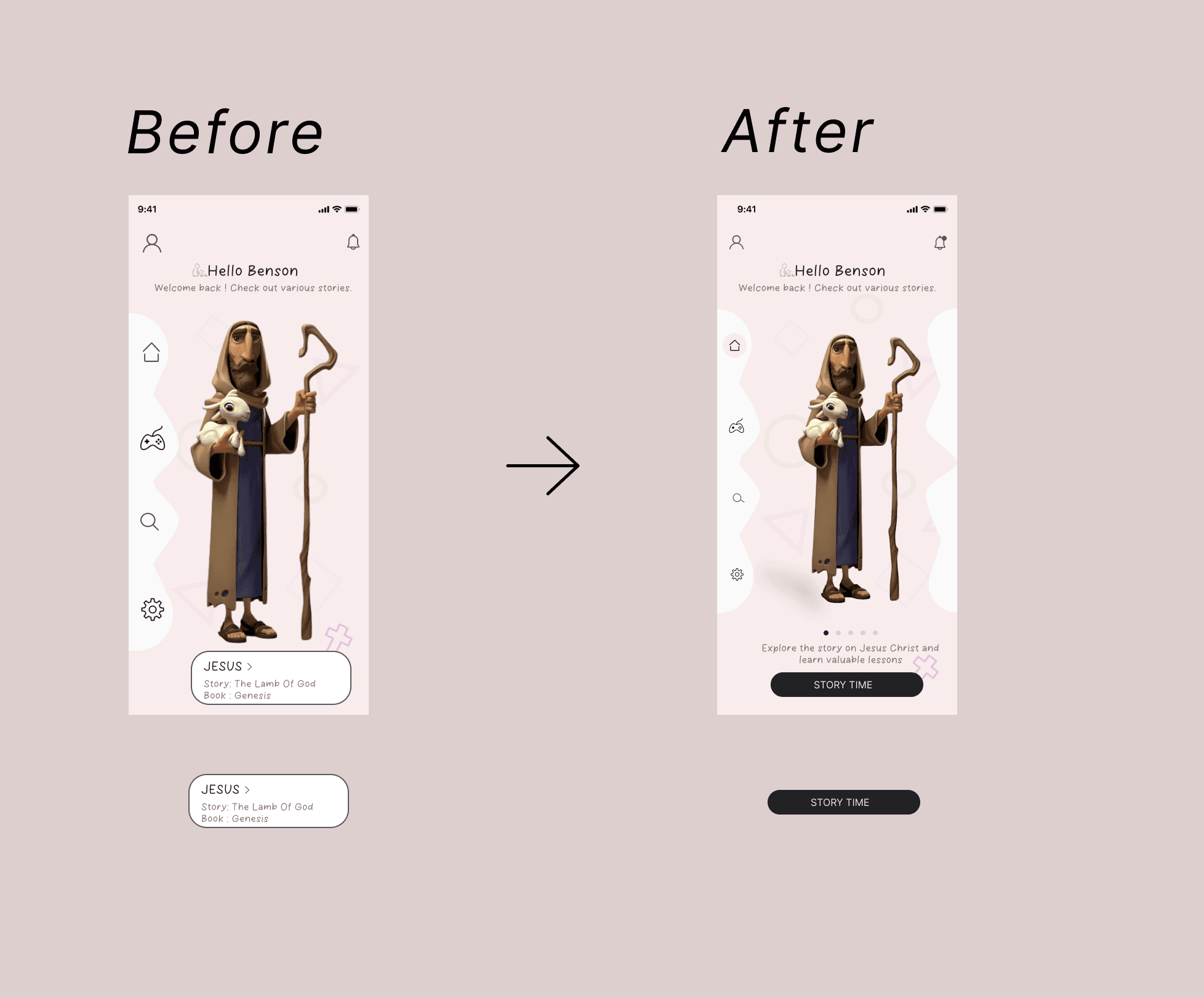
Story Mode / Dashboard
Original: mini-card previews → confusing, visually cluttered, hard to understand where to click.
Improvement: replaced mini-card with single “Story Time” button → simplified, intuitive, and easy to access while preserving discoverability.
Added click states to the dashboard navbar (Home, Search, Games, Settings) → provides clear visual feedback for navigation.
Scroll to read
key discoveries
1. Onboarding / Splash Screen
The first version featured minimal text and inconsistent animations, making the screen feel empty and visually uninviting.
To make it playful and welcoming, I added a floating cloud illustration that aligned with the app’s child-friendly aesthetic.
After usability testing, the cloud design was refined to be more dynamic and interactive, creating a sense of delight and guiding users into the app.
accessibility considerations
Accessibility Improvements
Ensured all text and interactive elements met WCAG contrast requirements for readability.
Buttons and clickable elements were sized and spaced for touch accessibility, particularly for young users.
Color choices were refined for color-blind users, ensuring key interactions and visual cues remained clear.
Added click states to the dashboard navbar (Home, Search, Games, Settings) → provides clear visual feedback for navigation.
Impact
Impact: Streamlined Little Disciple’s UX, boosting story completion +30%, quiz participation +25%, and reducing onboarding drop-offs −20%, while improving accessibility, engagement, and family co-learning.
01
Reflections
Iterative design emphasized playful, simple, and accessible experiences, while AI and video animations enhanced engagement and personalization.
02
Lessons
Thinking like a child and testing with diverse users ensured intuitive, age-appropriate design and improved usability. I really learnt the importance of Empathy.
03
Next Steps
Expand stories with more animations and AI personalization, while refining parent dashboards and accessibility across devices.
What I bring to the table
Digital experiences that engage users and help your startup stand out from day one